See what changed after a bill was saved.
Bill Changes lets the owner review supported modifications, deletions and overrides with the user, time and recorded reason.
Configure the change-reason setting as the owner
Filter the recorded changes by date and action
Inspect differences, user and reason alongside the bill
Where this fits in your working day.
The Speed Plus 9 manual describes this workflow in section 35.6. The current chapter documents the expanded Insights workflows for version 261007 and later; confirm the installed version and relevant permissions.
See what changed after a bill was saved.
A current bill shows the latest position, but an owner may need to understand how it got there. Bill Changes records supported actions with old and new totals and detail about changed lines. The owner can inspect the reason and approval context without relying on memory.
Configure whether a change reason is optional or required, then review the report over the relevant dates as SUPER USER. Open a surviving bill where appropriate. Deleted records can retain their earlier detail, but the report is a history rather than a restore tool.
How to use it.
See what changed after a bill was saved.
- 01
Configure the change-reason setting as the owner
- 02
Filter the recorded changes by date and action
- 03
Inspect differences, user and reason alongside the bill
What this looks like in your business.
A saved sale changes from ten units to eight. The owner inspects the recorded quantity difference and reason to distinguish a customer correction from an unexplained edit.
Good questions.
Clear answers.
Choose the workflow that fits your business and confirm its setup in a demonstration.
Can the report undo a deleted bill?
No. It provides the recorded history. Recovery and correction must use the appropriate supported procedure and backups.
What setup should I confirm?
Coverage is specific: the manual excludes POS/Touch POS modifications and several accounting or utility actions. Do not treat this as a complete log of every possible data change.
What else can help?
DSR Party Wise Daily
Review the day's billed parties in one report.
Read the guide →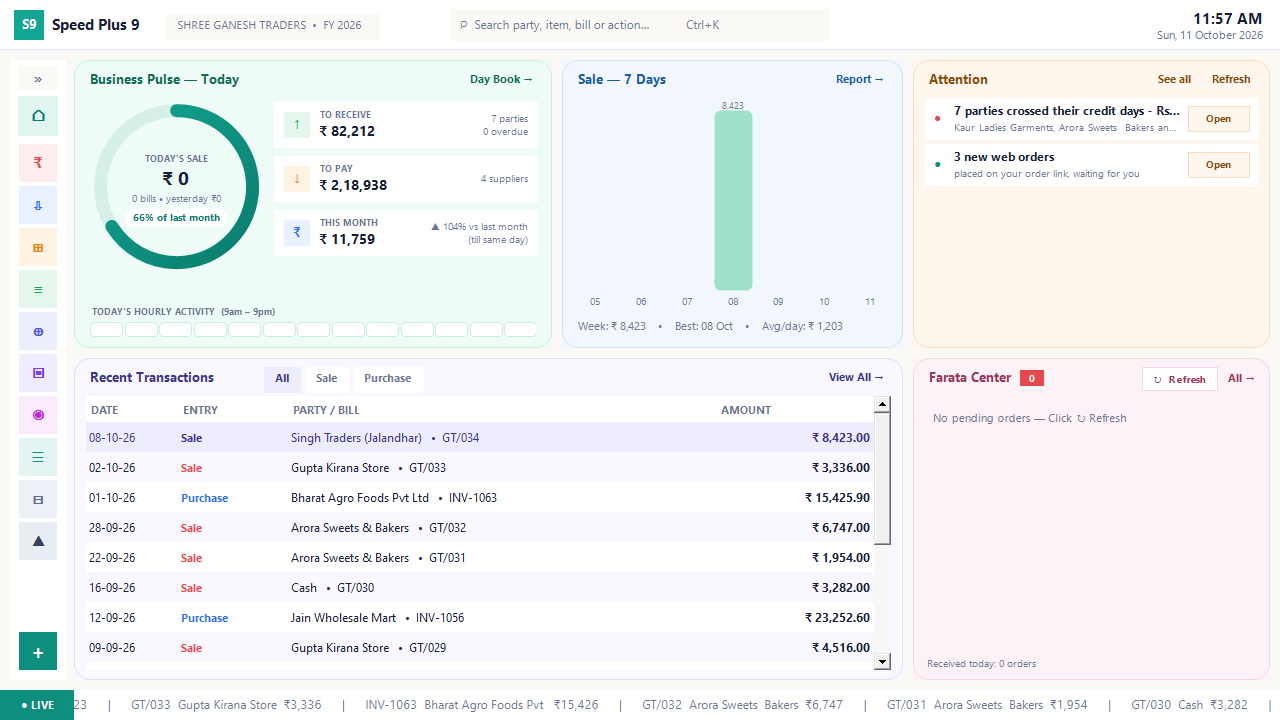
Business dashboard
See how your business is doing today.
Read the guide →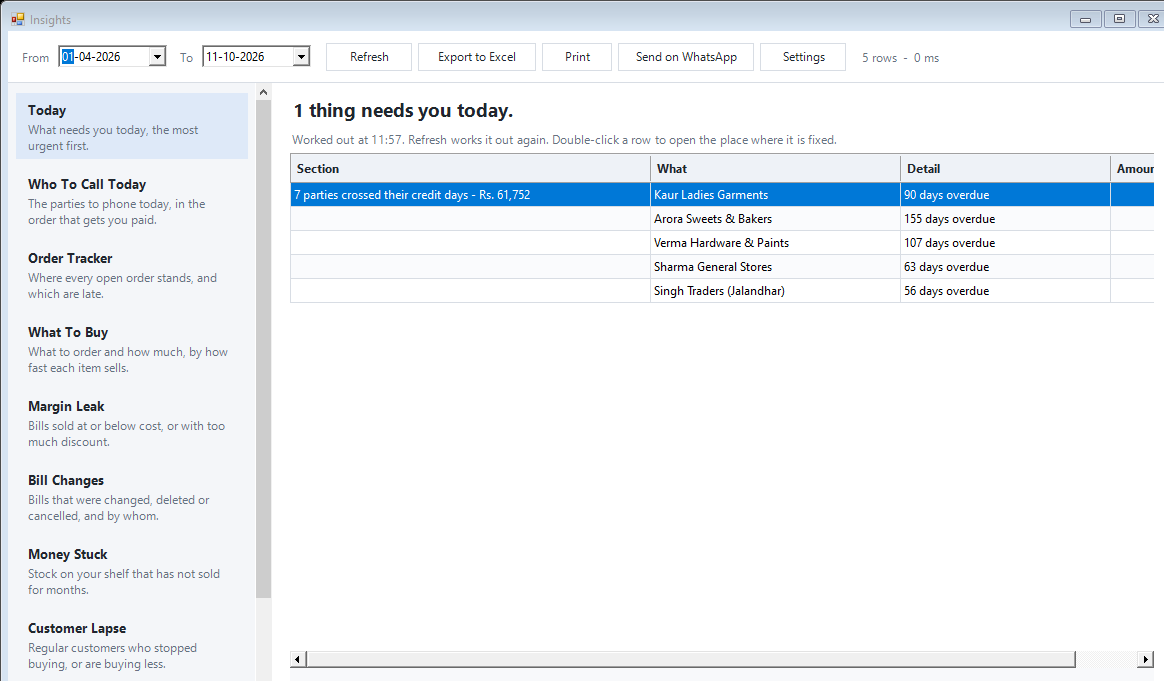
Today business insights
Know which issue deserves your attention first.
Read the guide →See it with a sample from your business.
Bring a sample bill or item list. We’ll show you the steps and answer your questions.